Fast PDF Reader
STARSPEED LIMITEDProductivity
3.422.00 Reviews
- Version
- 1.0.2
- Installs
- 500.00K
- Age Rating
- Everyone
Screenshots
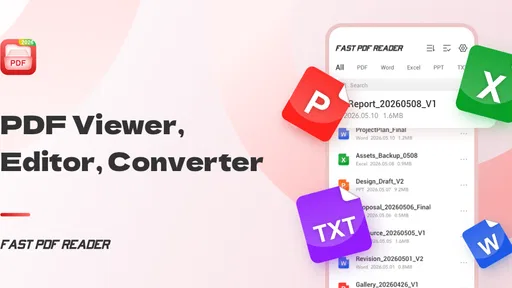
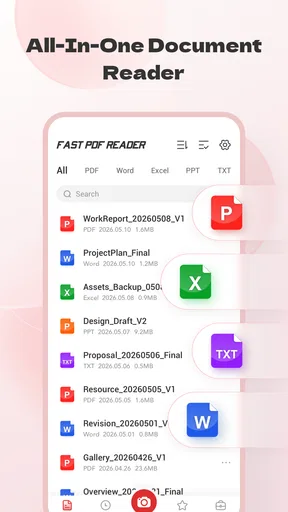
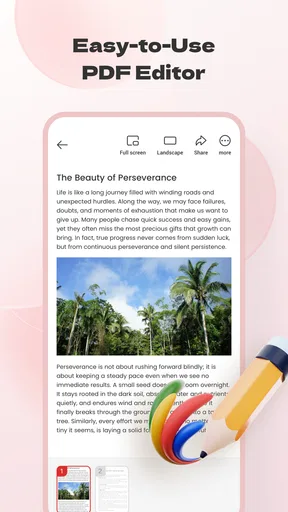
Our Review of Fast PDF Reader
 Analysis by Appyee
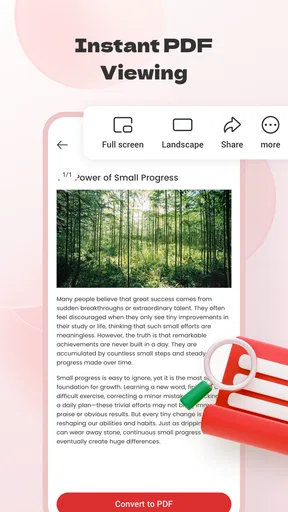
I approached Fast PDF Reader as a practical productivity tool rather than a full document-management suite. Its purpose is straightforward: help me open PDFs and other documents without turning a simple reading task into a complicated workflow. That focus matters because many people do not need editing, collaboration, cloud organisation, or advanced annotation every time they tap a document. Sometimes I simply need to read a receipt, check a form, review a manual, or open a file received in a message.
Developed by STARSPEED LIMITED, this free app sits in the productivity category and is suitable for Everyone. It runs on Android 8.0 and later, with version 1.0.2 being the version I considered here. The app has reached over 500 thousand installs, while its average rating is around 3.4 from roughly 1.2 thousand ratings. Those figures suggest a useful but not universally loved reader, so I think the right question is not whether it replaces every PDF tool. The better question is whether its focused approach matches the way you handle documents.
Choosing a PDF reader by the task you actually need to finish
My first decision criterion is speed of access. If I receive a PDF while travelling, I want to tap it and start reading. I do not want to create an account, sort the file into a project, or learn a workspace before I can see the first page. A lightweight reader makes sense for that kind of moment. It is especially useful when the document is temporary and I expect to close it after checking one detail.
The second criterion is document variety. PDFs are the obvious use case, but the app is also presented as a viewer for other documents. That gives it a broader role than a tool designed only for one file type. I would consider it for someone who keeps work files, downloaded instructions, forms, and reference material on an Android phone and wants one place to open them. The benefit is convenience, not necessarily a complete office workflow.
My third criterion is how much interaction I need. Reading a document is different from changing it. If I only need to inspect text, follow a guide, or confirm information, a reader can be enough. If I need to rewrite paragraphs, sign a form, build a presentation, or send a polished revision to someone else, I would judge the app against an editor or office suite instead. Confusing those jobs is the quickest way to expect too much from a focused viewer.
I also look at the cost of adopting a new reader. Since this app is free, the financial barrier is low, but time still matters. A useful reader should fit naturally into the way files already arrive on the phone. I would test it with a document opened from a message, a downloaded file, and a locally stored manual. That small test tells me more than a feature list because it reveals whether the app suits my daily habits.
Where the focused design works best
The strongest case for this app is uncomplicated reading. I can imagine using it for a train ticket saved as a PDF, a rental agreement I need to scan before signing elsewhere, or a product manual that I want available without opening a desktop computer. In these situations, the value is that the app stays close to the immediate task. I am not asking it to become a filing cabinet, a word processor, and a collaboration platform at the same time.
A realistic everyday scenario would be checking a school document received in a family group chat. I would open the attachment, read the important page, zoom in on a small line of text, and close it. Later, I might use the same reader for a delivery instruction or a warranty document. This kind of repeated, short session is where a dedicated viewer earns its place. It reduces the temptation to install a much larger office application for occasional reading.
Another useful situation is offline reference. When I download a guide before leaving home, I want the file to remain useful when my connection is unreliable. A document reader is naturally suited to this pattern because the content is already stored on the device. I would still download important files in advance and open them once before travelling, rather than discovering at the last minute that the file itself was incomplete or saved in an unexpected location.
The app can also be a sensible choice for people who find broad productivity suites distracting. A large office application may expose editing tools, templates, accounts, storage options, and collaboration controls when the only requirement is to read. Fast PDF Reader’s appeal is the narrower job. For quick document access, fewer decisions can be a real productivity feature.
Its broad compatibility promise is useful for mixed personal storage. Many phones accumulate PDFs alongside other document files, and switching between separate viewers can be irritating. I would use this app as a first-choice reader when I want to inspect a file quickly, then move to a specialised application only when the document requires a more involved action.
Practical habits that make the reader more useful
One habit I recommend is separating reading from editing before opening a file. If I know I only need to review content, I start with this reader. If I know I must alter the file, I open it in an editor from the beginning. That simple decision avoids wasting time looking for tools that a focused reader may not be intended to provide.
A second habit is keeping important documents easy to locate before relying on the app. I use clear filenames and place related files in a sensible folder instead of expecting the viewer to solve all my organisation problems. This is particularly helpful with invoices, travel documents, and manuals that may otherwise become indistinguishable downloads. The reader can open a file, but my own storage habits determine how quickly I find it again.
A third tip is to inspect long documents in stages. Rather than scrolling aimlessly, I first identify the page or section I need, then return to the beginning only if I need full context. This is a small workflow improvement, but it suits a phone-sized screen where endless scrolling can be tiring. For a manual, I might first locate the troubleshooting section; for a contract, I might check the clauses I was asked to review before reading the surrounding pages carefully.
I also prefer to check a file before an important appointment. If I need a form at a clinic, a boarding document at an airport, or an instruction sheet while repairing something, I open it earlier and make sure it is available. This is not a special feature of the app; it is a practical safeguard that makes any mobile document reader more dependable in real life.
Where other app categories fit better
The main alternative is a full office suite. That category is better when documents are part of an active work process rather than something I merely read. If I need to edit text, add structured content, or move between several office formats, an office-focused application is likely the better starting point. The trade-off is complexity: I may gain more tools but spend longer navigating them for a basic reading task.
A cloud-storage app may be preferable when my priority is finding the same files across several devices. Its advantage is organisation and continuity between phone, tablet, and computer. I would choose that route when the document library matters more than opening speed. Fast PDF Reader makes more sense when I already have the file on my phone and want a direct viewing experience.
Dedicated PDF editors belong to another category altogether. They are the stronger choice for annotations, signatures, form completion, page rearrangement, or document conversion. I would not select this reader as my main tool for a workflow that ends with a modified PDF. In that situation, using a reader first and an editor second may add an unnecessary handoff, so a specialised editor could be more efficient.
Browser-based viewing is another common alternative. It can be convenient for a document opened from a webpage, but it ties the experience to a browser tab and the way that browser handles files. A dedicated reader is more appealing when I repeatedly open saved documents or want a consistent app for attachments. On the other hand, if I only view an occasional online PDF and never save it, installing a separate reader may offer little benefit.
People who need accessibility controls, advanced search, detailed annotations, or professional document review should compare those needs carefully before switching. I would not assume that a simple viewer can replace a tool built around those specialist tasks. The right choice depends on whether the document is the destination or merely the starting point for more work.
What switching involves in everyday use
Moving to this app should be relatively easy for a reader who already stores documents locally. I would install it, open a few representative files, and see whether it handles the formats I use most. I would not transfer my entire document routine immediately. A short trial with a work PDF, a personal form, and a mixed document file gives a clearer answer than relying on one successful opening.
The bigger switching cost is not money; it is changing which app opens files by default. If another reader already handles every attachment smoothly, the benefit of changing may be small. I would switch when the current application feels overloaded, repeatedly pushes me toward unrelated tools, or makes quick reading feel slower than it should. I would stay with the existing app if it already combines reading and the exact editing features I need.
There is also a workflow cost when documents move between applications. For example, I might read a contract here, then use a separate editor to sign it, and finally return to a storage app to share it. That sequence is perfectly workable for occasional tasks, but it becomes less attractive if I process documents every day. Frequent users should count those handoffs as part of the decision, not judge the reader only by its opening screen.
Because the app is free, it is easy to test without committing to a subscription. I would still judge it by reliability and fit rather than installing it simply because it costs nothing. A free app that adds friction to every important document is not truly convenient. Conversely, a focused reader that handles my common files cleanly can be worthwhile even if I keep another application for editing and storage.
Who should use it and who should skip it
I would recommend Fast PDF Reader to students checking course handouts, travellers carrying saved confirmations, households reading manuals and forms, and workers who mostly inspect documents on an Android phone. It is also a reasonable option for anyone who wants a separate reading tool instead of opening a full office suite for every attachment. The Everyone age rating makes it suitable for a broad audience, including shared household use.
I would be more cautious for professionals whose day revolves around document production. If your routine includes signing, commenting, revising, exporting, or collaborating on files, you may be happier with an application designed around those actions. The same applies to users who depend heavily on cross-device libraries and advanced organisation. In those cases, a cloud suite or professional PDF editor may justify its extra complexity.
The rating of around 3.4 tells me to keep expectations measured. It does not make the app unusable, but it suggests that the simple promise may not satisfy every device, file type, or workflow equally well. I would treat the first few days as a practical compatibility check. Open the documents you genuinely use, not just a small test file, and pay attention to whether the app feels dependable when you return to it.
Version 1.0.2 also makes me view the product as a relatively early choice in its development rather than a mature replacement for every established document tool. That is not automatically negative. A focused app can be pleasant when it does one job clearly. It simply means I would avoid building a critical business process around it until it has proved itself with my own files and routines.
My recommendation after using it as a decision, not a default
My recommendation is conditional but positive: try Fast PDF Reader if your main need is opening PDFs and other documents quickly on an Android phone. Its free entry point, straightforward purpose, and broad everyday usefulness make it easy to evaluate. I would keep it installed if it became the quickest route from an attachment or downloaded file to comfortable reading.
I would not present it as a universal document solution. The app is best understood as the reading layer in a larger workflow. When I need to edit, sign, organise across devices, or collaborate, I would move to a tool built for that job. That separation can be efficient for occasional document users, but it may feel inconvenient for people who expect one application to handle everything.
In the end, I think the decision comes down to friction. If your current reader is too complicated for simple checks, this app is worth trying. If your current suite already opens files quickly and gives you the editing or storage features you use daily, switching may not improve much. For me, the clearest reason to choose it is not a long list of extras; it is the possibility of having a focused, free way to read documents when that is all I need.
My final advice is to test it with your real documents before making it your default. Open the files you handle most, try the app during a normal day, and notice whether it helps you finish small reading tasks with fewer steps. If it does, Fast PDF Reader earns a place as a practical productivity companion. If your needs go beyond viewing, keep it as a secondary reader or choose a more specialised alternative instead.
Verdict
Strengths of Fast PDF Reader
- Opens large PDF files quickly with smooth page scrolling.
- Supports offline reading without requiring an account or internet access.
- Simple interface makes documents easy to browse and manage.
- Includes useful zoom controls for comfortable reading on small screens.
- Search helps locate specific words or passages within documents.
Limitations of Fast PDF Reader
- Some advanced annotation tools may be missing or limited.
- Large files with images can use considerable device storage.
- Interface may feel basic compared with feature-rich PDF suites.
- Ads may interrupt the experience in the free version.
- Compatibility with complex forms or interactive PDFs can vary.
Similar Picks in This Category
View All
Google Calendar
Google LLC4.6

Google Drive
Google LLC4.3

Google Assistant
Google LLC3.9

Microsoft OneDrive
Microsoft Corporation4.6

Samsung Calendar
Samsung Electronics Co., Ltd.4.1

Microsoft OneNote: Save Notes
Microsoft Corporation4.6
Frequently Asked Questions
What is Fast PDF Reader, and what can I use it for?
Fast PDF Reader is a mobile application designed for opening, reading, and managing PDF documents on Android or iOS devices. After installing it, users can access files stored on their phone, download PDFs, and read documents without needing a computer. It is useful for ebooks, manuals, invoices, forms, study materials, and other everyday documents.
Does Fast PDF Reader work offline?
Yes, Fast PDF Reader can generally be used offline once a PDF has been saved on your device. This makes it convenient for reading books, travel documents, or work files without an internet connection. An internet connection may still be required when downloading files, opening documents stored in cloud services, displaying advertisements, or using any online features included in the app.
Can I search, zoom, and navigate through PDF documents?
Fast PDF Reader includes the basic tools most people expect from a mobile PDF viewer, including page navigation, zoom controls, and document searching. These features make it easier to locate specific information in long files and read small text on a phone screen. Depending on the version installed, advanced options such as bookmarks, annotations, or text selection may vary.
Is Fast PDF Reader free to download and use?
Fast PDF Reader may be available as a free download, but users should check the current store listing for details about advertisements, optional purchases, or premium features. The free version is usually suitable for opening and reading standard PDF files. Before downloading, review the pricing information and subscription terms carefully, especially if the app offers extra tools through in-app purchases.
Is Fast PDF Reader safe for opening personal or sensitive documents?
Fast PDF Reader should be downloaded only from the official Google Play Store or Apple App Store to reduce the risk of installing an altered version. Before using it with private documents, review the permissions and privacy policy shown on the store page. Avoid granting unnecessary access, and remember that files handled by third-party apps may be subject to their data collection and storage practices.
